
- 10 Posts
- 136 Comments

In a broad sense tags are like workspaces but one can toggle to view multiple of those at the same time. One can do much more but that is the gist of it.
friendship ended with workspaces/virtual-deskltops, now tags are my best friend
Benefits:
- Fast context switch (browsing, editing, documentation, etc).
- Fast grouping(again browsing and all).
- Automatic grouping (one can set rules were opens were)
- It is even more useful on single monitors, the little space one has means that usually on can split the screen no more than 2 times, this means that swtiching quickly between groups of windows save you a load of time.
- On the long run one gets used to the workflow and the cognitive effort of moving around windows becomes super low.
Cons:
- Might take some cognitive effort getting used to the workflow/keybinds. (usually worth it in the long run)
- Moving around windows or workspaces can be difficult if not setup up correctly.
One step further
Tags (as opposed of workspaces/virtual-desktops) are a system used by the likes of
dwm,dwl,river,mangowcto choose what windows get displayed on the screen. This would allow you to toggle and view different groups of windows on the same screen(like viewing multiple virtual-desktops at the same time). This would allow one to do that super fast context switching at a more complex level if needed. For instance you could toggle the “tag 2” while viewing “tag 1” effectively merging the two tags into the same screen instead of switching back and forth with workspaces. This method requires a little of more focus and remembering the state of the windows/tags.
Quick mention of my Window Managers if anyone is interested in the topic.
 392·6 months ago
There is nothing to see because everything was destroyed.
Some time ago I answered this question on a post that seems have been deleted but got some good feedback:
The most important decision as a new Linux user is the desktop environment, the most similar desktop environment to the Windows desktop are KDE Plasma and Cinnamon. This means your best options are:
- Linux Mint (Cinnamon): They are the creators of the Cinnamon desktop environment and will be the default on installation.
- Kubuntu (KDE Plasma): This is Ubuntu’s official KDE Plasma flavour, it comes with everything as usual just different desktop.
- Fedora (KDE Edition): Same story as Ubuntu here, only that with Fedora’s own packages and environment.
First I would check if the hardware is compatible (99% of the time is). Then I would check what software you need and/or want and check if it is available at these distros, and get familiar on how to install the software packages (either with their respective app stores or in the command line).
There is a lot to learn but with these distros you can just install, forget and simply keep using them for eternity.
The last and more important tip I have is to not to worry about the sea of options out there, you will not be missing anything huge by picking one or the other. Which is how most of new users feel (I did in my time).
Hope you have a great Linux journey mate!
I have the GTA San Andreas message sound for notifications, my friends always chuckle when I get a message.
The fact that one can use a wm/compositor to make the desktop lighter is sick. I was using 350MB idle with Alpine + River, it is so damn snappy.
I came to Linux for freedom and stayed for the performance.
 16·6 months ago
mine, but that is fine because its a niche topic.
I changed to Lemmy because I read about Lemmy first. After becoming interested I investigated, found much more articles suggesting Lemmy and those who suggested both gave preference to Lemmy.

I think this is the other way around, Windows Updates always fuck up the user.
As much as I hate MacOS I love their interface aesthetic.
That guy is hilarious
Thank you for making thunder so great, its been like 2 years using it now.

The most important decision as a new Linux user is the desktop environment, the most similar desktop environment to the Windows desktop are KDE Plasma and Cinnamon. This means your best options are:
- Linux Mint (Cinnamon): They are the creators of the Cinnamon desktop environment and will be the default on installation.
- Kubuntu (KDE Plasma): This is Ubuntu’s official KDE Plasma flavour, it comes with everything as usual just different desktop.
- Fedora (KDE Edition): Same story as Ubuntu here, only that with Fedora’s own packages and environment.
First I would check if the hardware is compatible (99% of the time is). Then I would check what software you need and/or want and check if it is available at these distros, and get familiar on how to install the software packages (either with their respective app stores or in the command line).
There is a lot to learn but with these distros you can just install, forget and simply keep using them for eternity.
The last and more important tip I have is to not to worry about the sea of options out there, you will not be missing anything huge by picking one or the other. Which is how most of new users feel (I did in my time).
Hope you have a great Linux journey mate!
I didn’t know that, thank you!







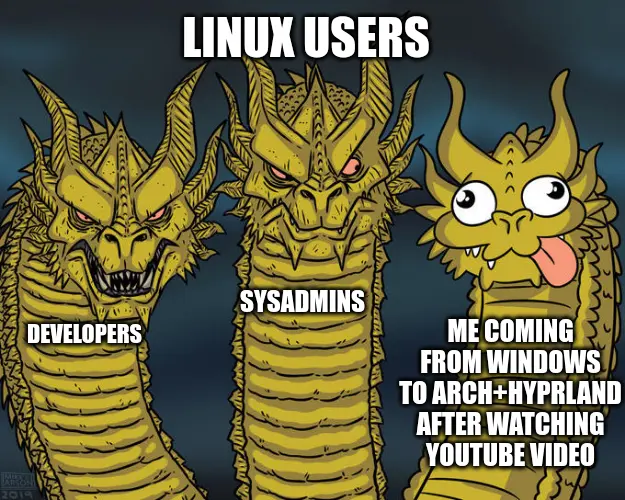
damn, that is good to know.